Using the useEffect() Hook
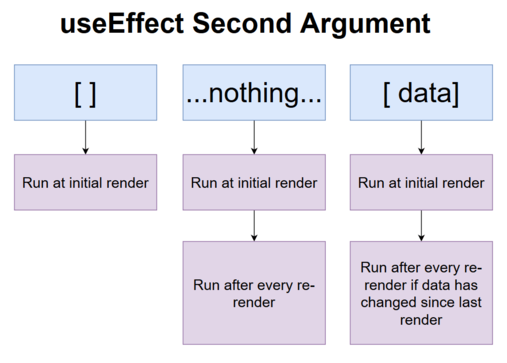
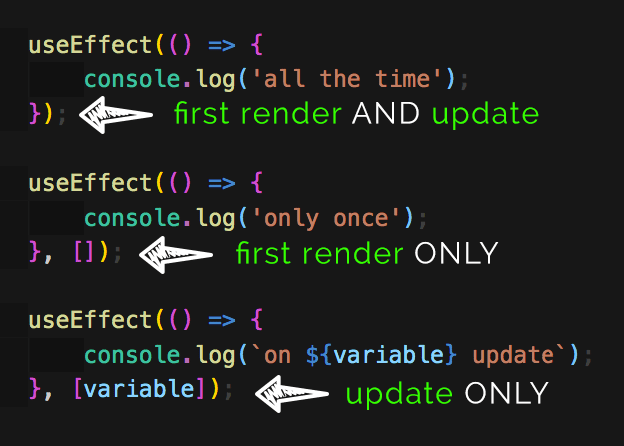
useEffect hook without mentioning any dependency array like.. useEffect(someCallbackFuction); runs for every render of the functional component in which its included..
useEffect hook with an empty dependency array like this.. useEffect(callbackFunc , [] ) is executed only for the the initial render of the the functional component. And then it will not run in the further renders of the same functional Component..
useEffect hook with some dependencies inside the dependency array like this.. useEffect(callbackFunc , [dependency] ); will run for the initial render as well as when the render happen due to change in dependencies mentioned in the dependency array...
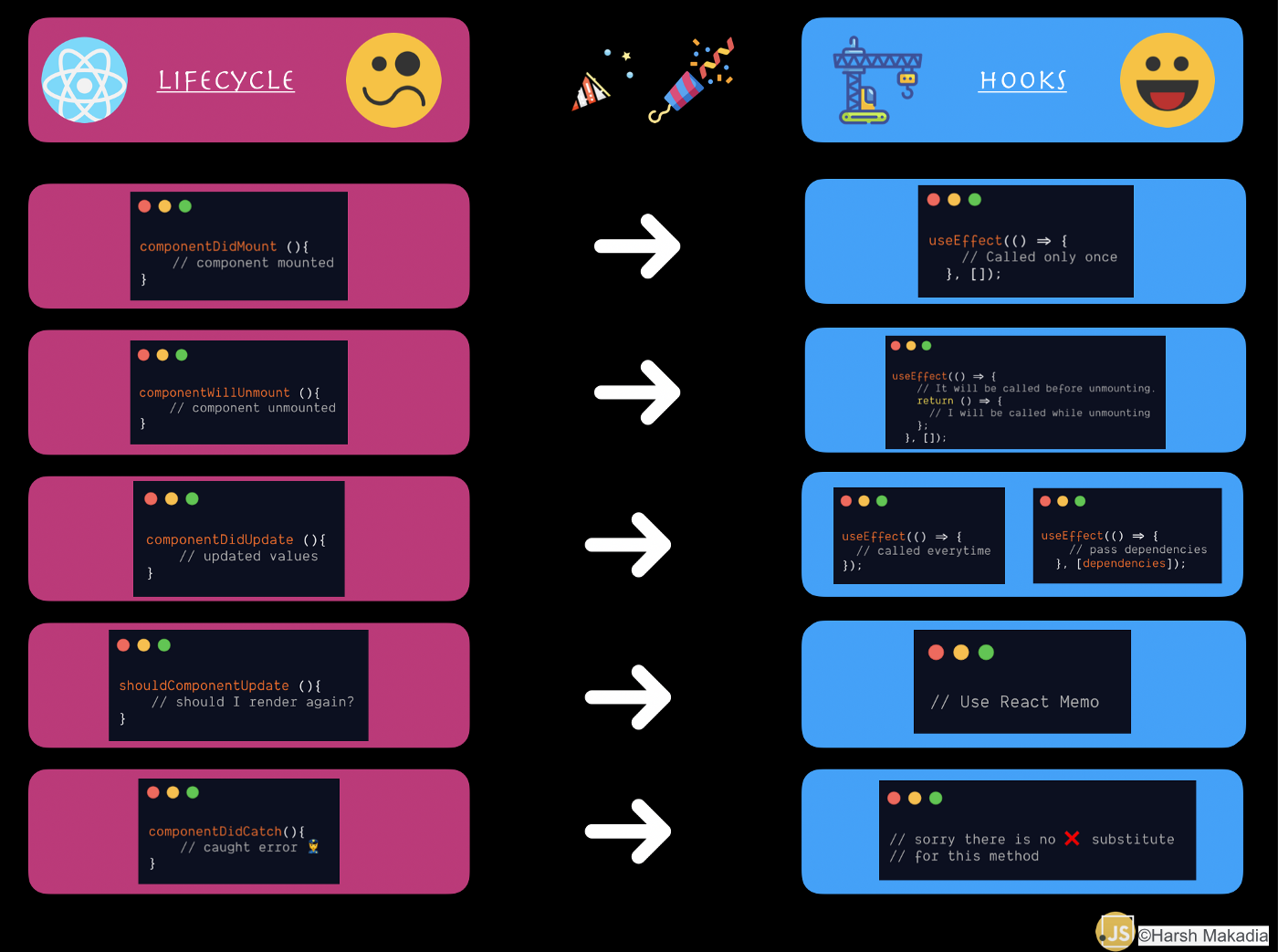
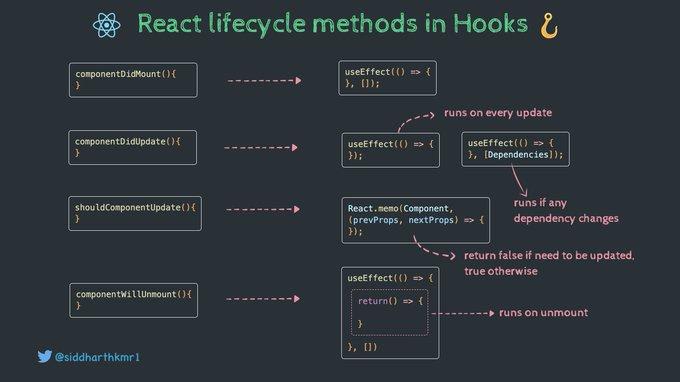
hello Everybody ! Let's talk about useEffect() hook and how it works.. Each component in React has a lifecycle which you can manipulate during its 3 phases : Mounting method name: componentDidMount() Updating method name: componentDidUpdate() Unmounting method name: componentWillUnmount()
Role of Hooks: Hooks are a new addition in React 16.8. They let you use state and other React features without writing a class and they replace for example " the lifecycle methods" . The Effect Hook " useEffect() " lets you perform side effects and its one of them.
App.js
import React, { useState, Fragment, useEffect } from 'react';

import Login from './components/Login/Login';


function App2() {

  const  [isLoggedIn, setIsLoggedIn] = useState(false);


 useEffect(() => {

        const storedUserLoggedInInformation =
         localStorage.getItem("isLoggedIn");

       if (storedUserLoggedInInformation === '1') {
          console.log("Hello"); line 15
           setIsLoggedIn(true);
        }

  }, [ ] );


  const loginHandler = (email, password) => {
    localStorage.setItem("isLoggedIn", "1");
    setIsLoggedIn(true);

 };


  return (
    <Fragment>
       <Login onLogin={loginHandler} />
    </Fragment>
  );
}

export default App2;
"Hello" will be logged 2 times in the console , because the app will be rendered for the first time when this component function run , And the 2st time when the state is updated (Line 16) .
Result:
Hello           App2.js:15
Hello           App2.js:15